

Load and transform an image
The «RP Image» nodes read images from the controller's disk and prepare them for a model or a screen: they resize, crop and rotate them, among other things, quickly enough to keep up with a production line. In this guide you load a photo of a pack of biscuits, make it smaller, crop it to the pack and turn it.
What you will learn
- How to read an image file from the controller
- How to resize, crop and rotate it
- How to see the image at every step of a flow
Before you start
You need an image on the controller's disk, such as one saved by a camera flow with the rp-image-out node. Here it is /tmp/images/biscuits.jpg. The basics of the editor are in Introduction to Node-RED.
1. Load the image
Type rp-image-in in «filter nodes», drag the node after the inject node and wire them. Double-click it and write the path of the file in «File Path», here /tmp/images/biscuits.jpg. The image comes out in «Output to», msg.payload. Tick «Debug» to see it under the node.
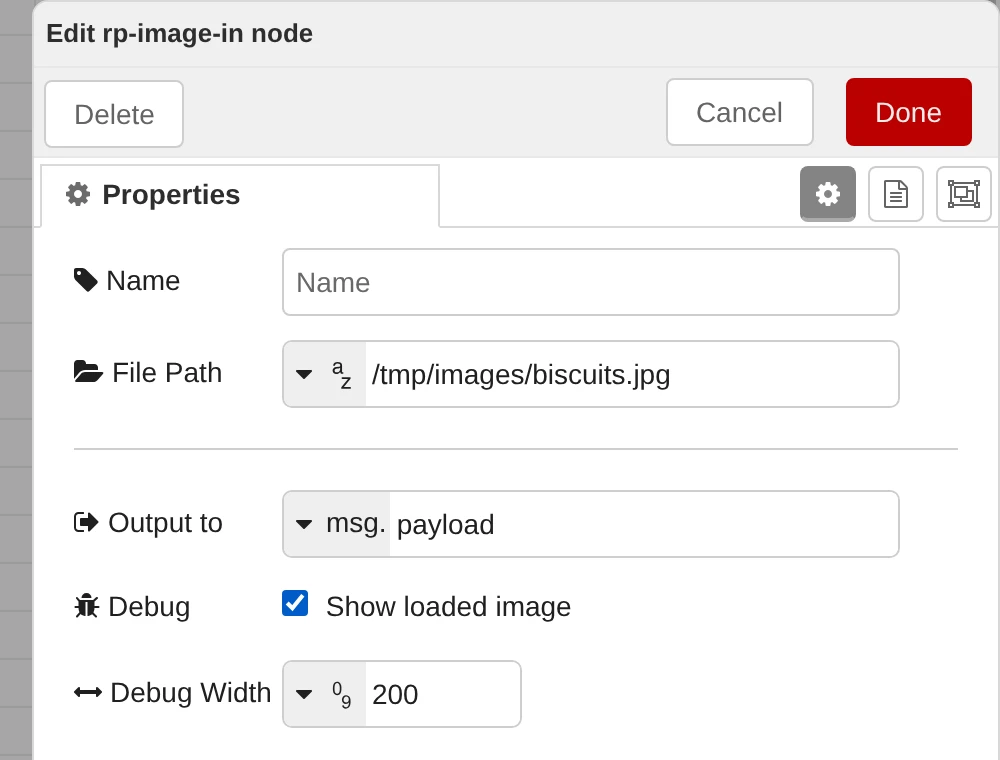
2. Deploy and load it
Click «Done» and «Deploy», and press the button of the inject node. The node reads the file and shows it. The image now travels as raw pixels, ready for the next node.
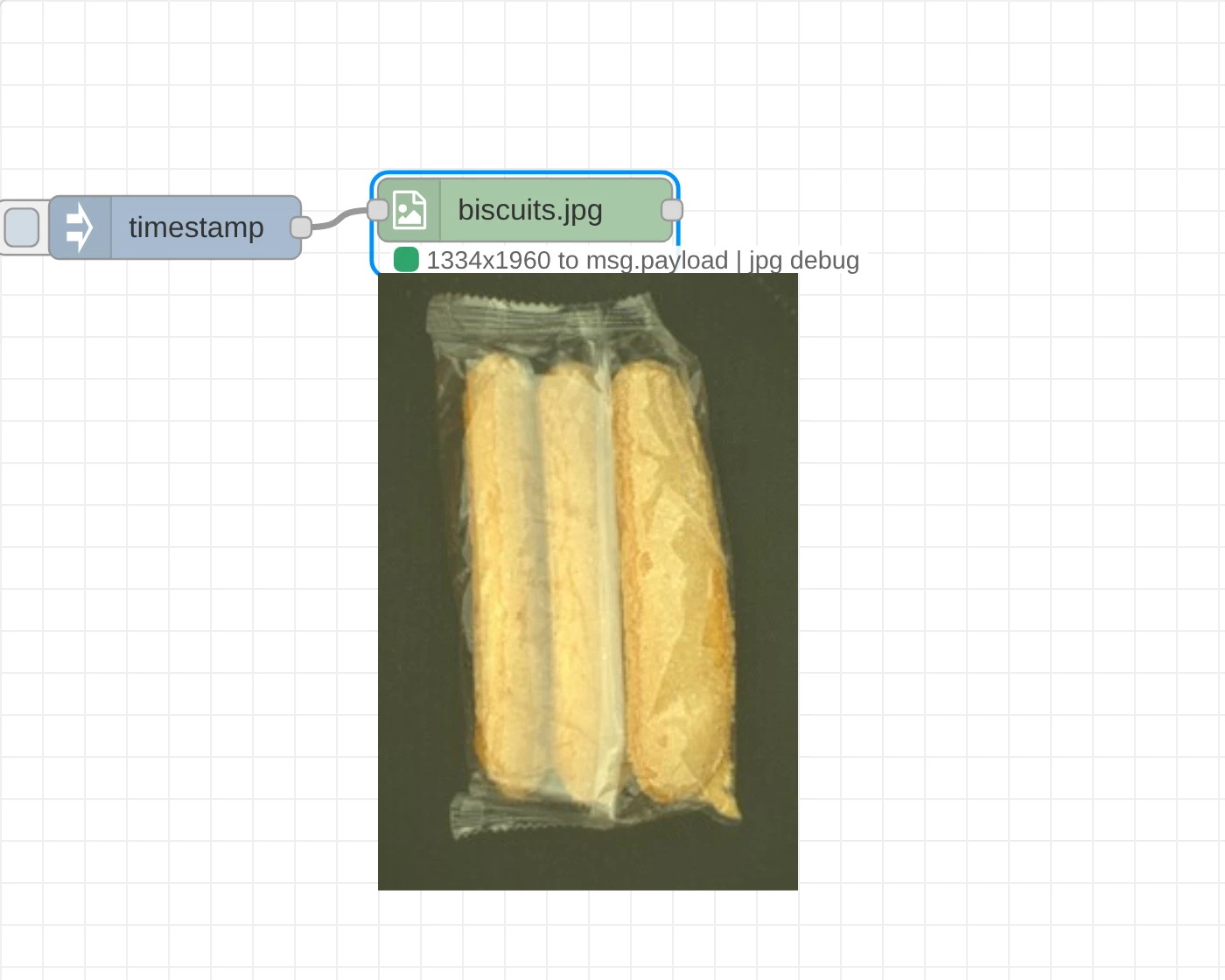
3. Make it smaller
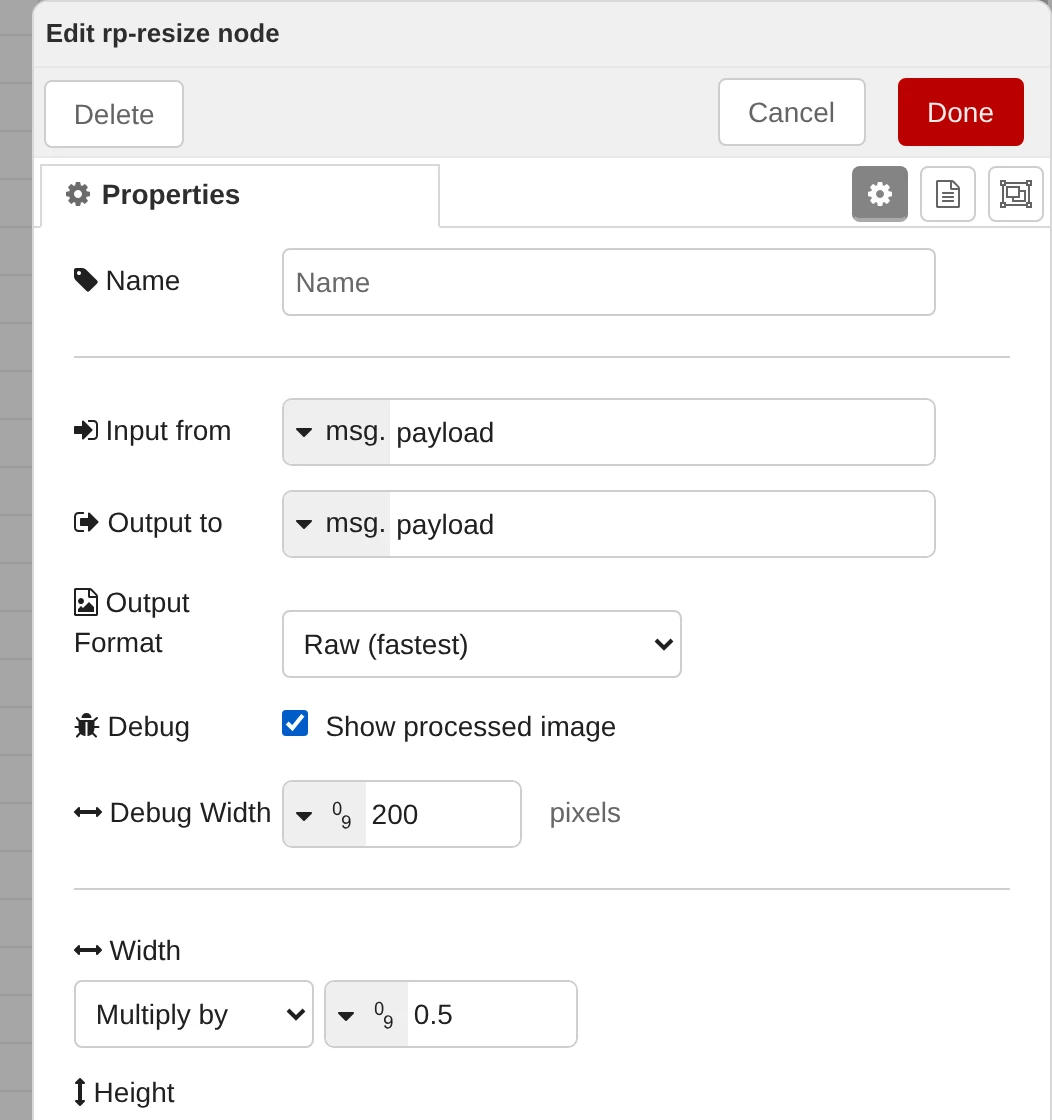
Add rp-resize after it. In «Width», choose «Multiply by» and write 0.5, and leave «Height» empty: the node keeps the proportions. «Set to» gives a size in pixels instead. A smaller image is quicker to process and to send.
4. Crop it to the pack
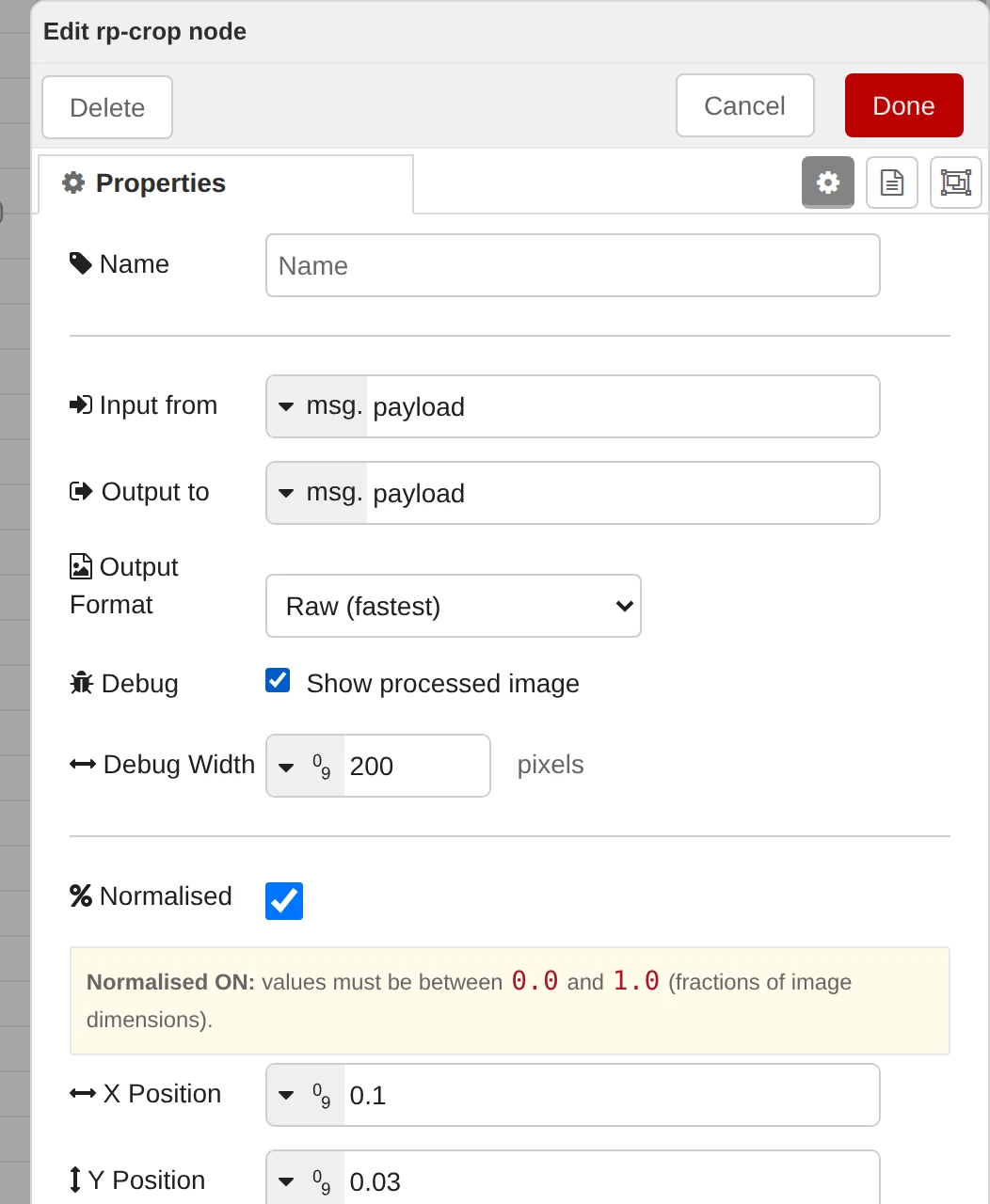
Add rp-crop. With «Normalised» ticked, as it comes, the position and the size go from 0 to 1, as a fraction of the image, so the crop holds whatever its size: «X Position» 0.1 and «Y Position» 0.03 for the corner, «Width» 0.8 and «Height» 0.94.
5. Turn it
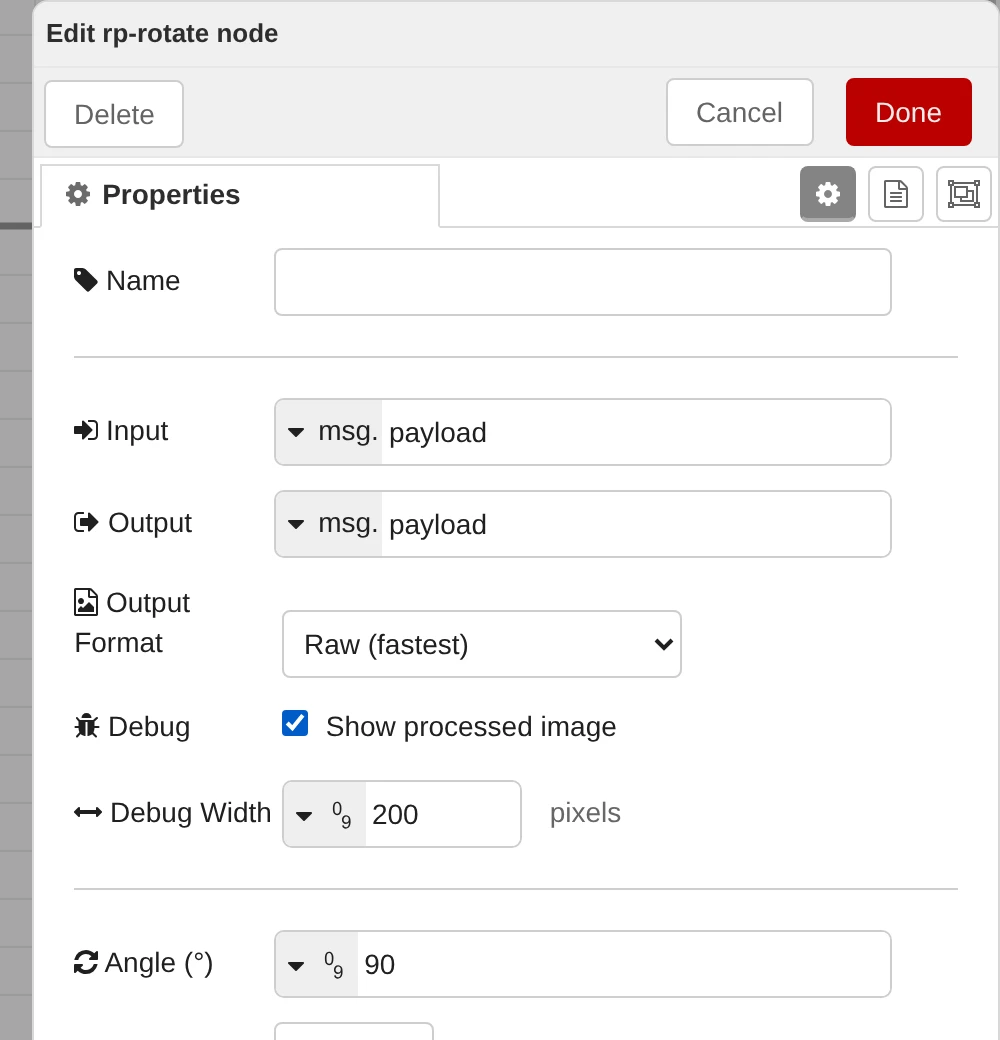
Add rp-rotate. «Angle» turns the image counter-clockwise, in degrees; corners left empty by an angle that is not a right angle take the «Pad colour».
6. Deploy and follow the image
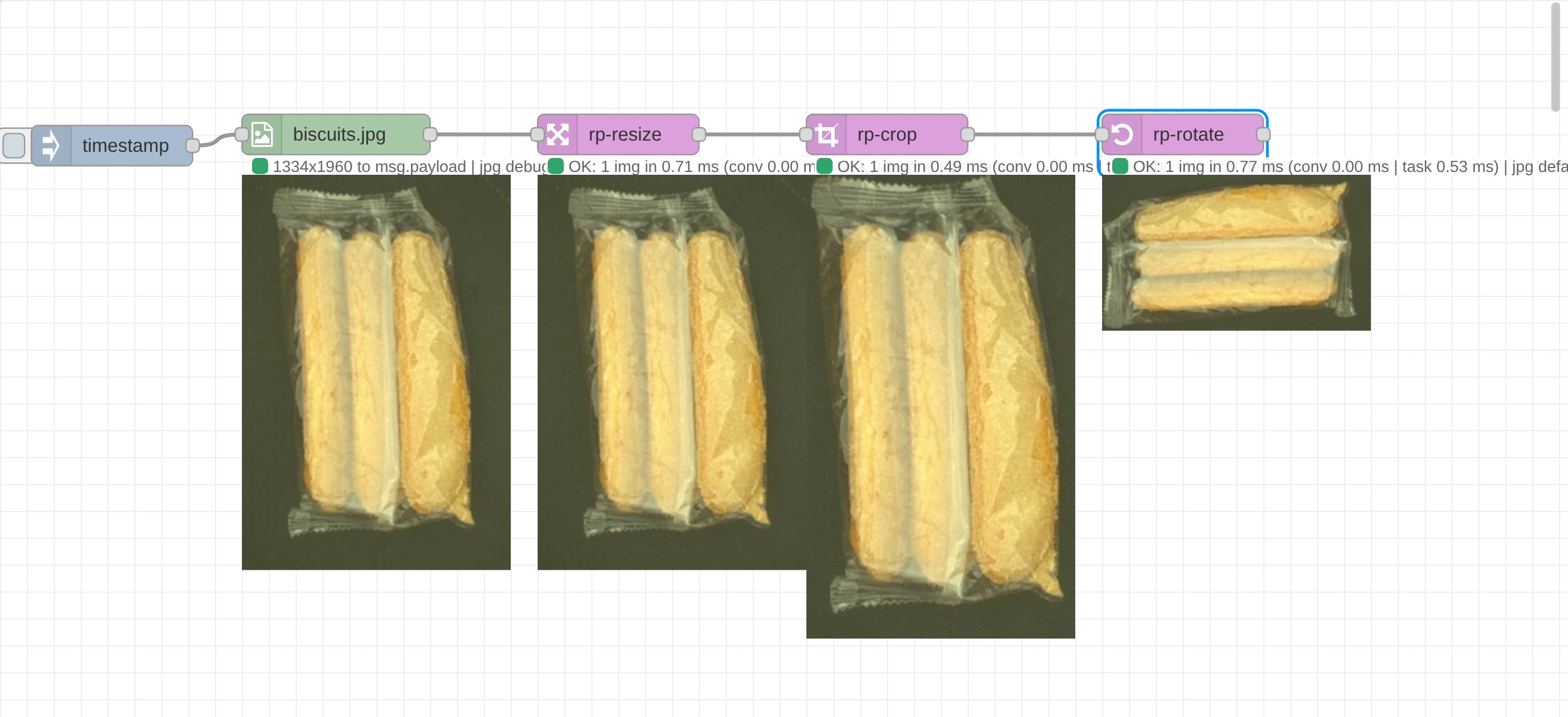
Click «Done» and «Deploy», and press the inject node again. Each node shows the image it passes on, so you can follow it through the flow: loaded, smaller, cropped to the pack and turned.
Good to know
- A whole folder.
rp-folder-inreads every image of a folder and sends them one after another, at the interval you set, once or in a loop. Its button starts and stops it. - Raw or encoded. Every node can give its result as raw pixels, the fastest to keep processing, or as a JPEG, PNG or WebP file, smaller to send or save. Choose it in «Output Format».
- Saving.
rp-image-outsaves images to the controller's disk with a timestamp in the name, and can stop before the disk fills up. - More nodes. «RP Image» also aligns, pads, filters, converts colours and joins several images into one.
Next steps
Recorded on Rosepetal release 1.8.15, Node-RED 5.0.10.